Posted on

David Clark H10-13S Headset Crackling Fix Guide

David Clark H10-13S Headset Crackling Fix Guide

“`html

Why Your David Clark H10-13S Crackles and Pops

Spend enough time in cockpits and you learn that a crackling David Clark H10-13S headset isn’t just annoying — it’s a safety issue. When you’re trying to hear ATC clearances over static, that intermittent pop or buzz steals precious seconds you can’t afford to lose. The H10-13S is built solid, but after hundreds of flight cycles, all that flexing, heating, and humidity exposure catches up with it.

The crackling usually comes from one of four places. Moisture trapped in the connector is the culprit most of the time. Humidity sneaks in, oxidizes the pins, and you get that characteristic scratching sound — gets worse the second you wiggle the cable. Learned that one the hard way after a summer doing coastal operations back-to-back.

Loose mic boom connector ranks second. The boom slides into the main headset housing, and after a couple hundred insertions and removals, the contact points wear down. You’ll notice crackling that gets worse when you adjust the boom angle — move it one way and the sound clears, move it another way and it comes back.

An aged headset cable is third. The shielding around the 6-pin connector plug degrades over time. Cockpit temperature swings — cold start at 5 AM, then 140°F on the panel by 10 AM — crack solder joints. The cable develops intermittent contact resistance that shows up as random pops.

Fourth is worn headpad contact points. Less common, but the ear cup connector can oxidize if the headpad sits in a humid environment. This one usually affects both ears equally and sounds more like muffled audio with static underneath it.

Symptom Checklist — Pinpoint Your Problem

Before you start taking anything apart, answer these questions:

  • Is the crackling in one ear or both?
  • Does it happen constantly or only when you move the boom?
  • Is it worse right after flight (hot cable) or after sitting overnight?
  • Does it occur on both COM frequencies or just one?
  • Does it happen on the intercom feed too?

Crackling in the left ear only that stops when you angle the boom differently? That’s your mic boom connector. Crackling in both ears that only happens on COM1? Your avionics are the problem, not the headset. Intermittent crackling that gets better after the headset sits in a dry bag overnight? Moisture is your answer.

Step 1 — Test Your Audio Path First

Probably should have opened with this section, honestly. Too many pilots buy a new David Clark H10-13S because they didn’t isolate the actual fault. A new one costs $300–$350. One variable at a time and you save that money.

Start by swapping aircraft if you have access to another plane with the same avionics. Take your headset to a buddy’s Cessna 172. Plug in on their COM1 and listen for crackling during a ground frequency check. No crackling there? Your headset is fine. The problem lives in your panel.

If you only have one airplane, test multiple audio sources instead. Switch from COM1 to COM2. Try the intercom. Try an external audio input if your panel has one — some systems have an AUX jack. Crackling on all of them points to your headset or cable. Crackling only on COM1 points to that radio’s output stage.

Next, borrow a different headset cable from someone at your flying club if they have a compatible one. The H10-13S uses a standard 6-pin plug, but verify the impedance matches before you swap anything. Plug your headset into the borrowed cable and test again. Crackling disappears? You’ve found it. The cable is bad.

Why this matters: you’ve confirmed whether you need a $60 cable replacement or a complete headset repair. You’ve also ruled out a $400+ avionics service call before you even scheduled it. That diagnostic work takes thirty minutes and saves thousands in follow-on costs.

Step 2 — Clean and Reseat All Connectors

Moisture is the enemy — salt spray, humidity, condensation from temperature swaps, all of it migrates into those connector pins. The fix is straightforward, and it works seventy percent of the time.

Grab isopropyl alcohol (91% or higher — avoid the watered-down drugstore stuff), a soft brass brush or old toothbrush, and compressed air. Don’t use water. Don’t use vinegar. Isopropyl evaporates cleanly and won’t leave mineral deposits behind.

Unplug your headset from the aircraft cable first. Look at the 6-pin connector on the headset cable — the male connector that plugs into your panel. You’ll see six small pins. They should be shiny and gold-colored. If they’re dull, dark, or greenish, oxidation has set in.

Dip the soft brush in isopropyl and gently scrub each pin. Use a light touch — the pins are soft and bend easily. Work the brush side-to-side, not up and down, to avoid pushing oxidation deeper into the connector. Spend twenty seconds per pin. It feels excessive, but oxidation is stubborn stuff.

Dry the connector completely with compressed air. No can? Let it sit in a warm, dry place for ten minutes. The alcohol evaporates fast, but if any moisture lingers and you plug in immediately, you’ve wasted the effort.

Now look at the female connector on your aircraft cable — the socket where the headset plugs in. It’s harder to see inside, but spray a little isopropyl into the connector body using a small spray bottle or a drinking straw dipped in alcohol. Blow it out with compressed air. Do it twice.

The mic boom connector is next. Slide the boom out of the main headset housing. You’ll see a small metal contact on the boom and a corresponding socket on the housing. Same routine: alcohol, soft brush, compressed air, drying time.

Reinsert the boom until you hear or feel a solid click. It should sit flush against the housing with zero gaps. If it’s loose or wobbly, that connector is worn and cleaning won’t permanently fix it. Note that for later when you’re deciding what to replace.

Plug your headset back into the panel cable slowly. Push the connector in firmly until it seats completely — you should hear or feel a subtle click. Test on the ground frequency. No more crackling? You’re flying clean. Moisture was your culprit.

Step 3 — Inspect the Headset Cable and Plug

A worn H10-13S cable tells its story under proper light. Look at the area around the 6-pin plug where the cable jacket meets the connector body. Flex points develop cracks in the shielding. Heat exposure discolors the plastic. Kinks from being coiled too tightly create stress points you can see with your eyes.

The H10-13S cable fails because of the environment inside a cockpit. Temperatures swing fifty degrees between winter startups and summer cruise. The cable flexes during preflight mic checks, headset swaps, and regular stowage. Solder joints fatigue. Shielding integrity decays.

Run your thumb along the entire length of the cable. Feel for hard spots, kinks, or areas where the outer jacket is cracked. Squeeze the plug end gently. Does it flex smoothly, or does the connector body wiggle independently of the cable? Wiggle means the solder joints are failing inside where you can’t see them.

Look at the plug pins from the side. Are they evenly spaced and straight, or has the connector body warped? Warping usually means heat damage and failure is coming soon.

If the cable looks fine cosmetically but crackling persists after cleaning, the damage is internal — a cracked solder joint or broken shield braid. Cleaning won’t fix it. You need a new cable.

Temporary routing fix: if your cable has a kinked spot, try coiling it differently during stowage. Use a loose figure-eight coil instead of a tight wrap around a stick. This reduces flex stress. It’s not a cure, but it might extend the cable’s life another six months while you arrange a replacement.

When to Replace vs Repair

After cleaning connectors and testing your audio path, ask yourself this: Is the crackling gone? If yes, you’re done. Store your headset in a dry bag or headset case. Grab a cheap desiccant pack ($8 on Amazon) and call it a day. You’ve saved $300.

If crackling persists only during mic boom adjustments, your boom connector is worn. David Clark sells a replacement mic boom assembly for roughly $45–$65. It’s a ten-minute swap if you’re comfortable doing it. Not comfortable? An avionics shop will do it for $75–$125 in labor.

If crackling is constant and survived connector cleaning, or if your cable inspection revealed damage, you need a new cable. OEM David Clark replacement cables run $80–$120 depending on length and configuration. Aftermarket options exist for $60–$90, though I’ve had mixed results with non-OEM cables on older equipment. Buy OEM if your headset is under warranty. Buy aftermarket if your headset is ten years old and you’re trying to extend its life on a budget.

Warranty service is always an option if your H10-13S is under coverage. David Clark’s typical turnaround is two to three weeks, plus shipping. You’re without a headset that entire time, so most pilots keep a backup or rent one from their FBO.

One alternative I’ve seen work: upgrade to a panel-mounted audio coupling system like a GMA 35. It decouples your headset cable from the direct avionics feed, and intermittent connections become less catastrophic. Not a solution for a broken cable, but it eliminates future headset troubleshooting. They run $300–$400.

The honest math: cleaning connectors takes thirty minutes and costs nothing. Replace a cable, thirty-five dollars and another thirty minutes. Pay for a warranty service, two hundred dollars and three weeks of downtime. Sometimes the cheapest option is also the fastest one.

“`

Posted on

Best Aircraft Tire Gauges and Inflators

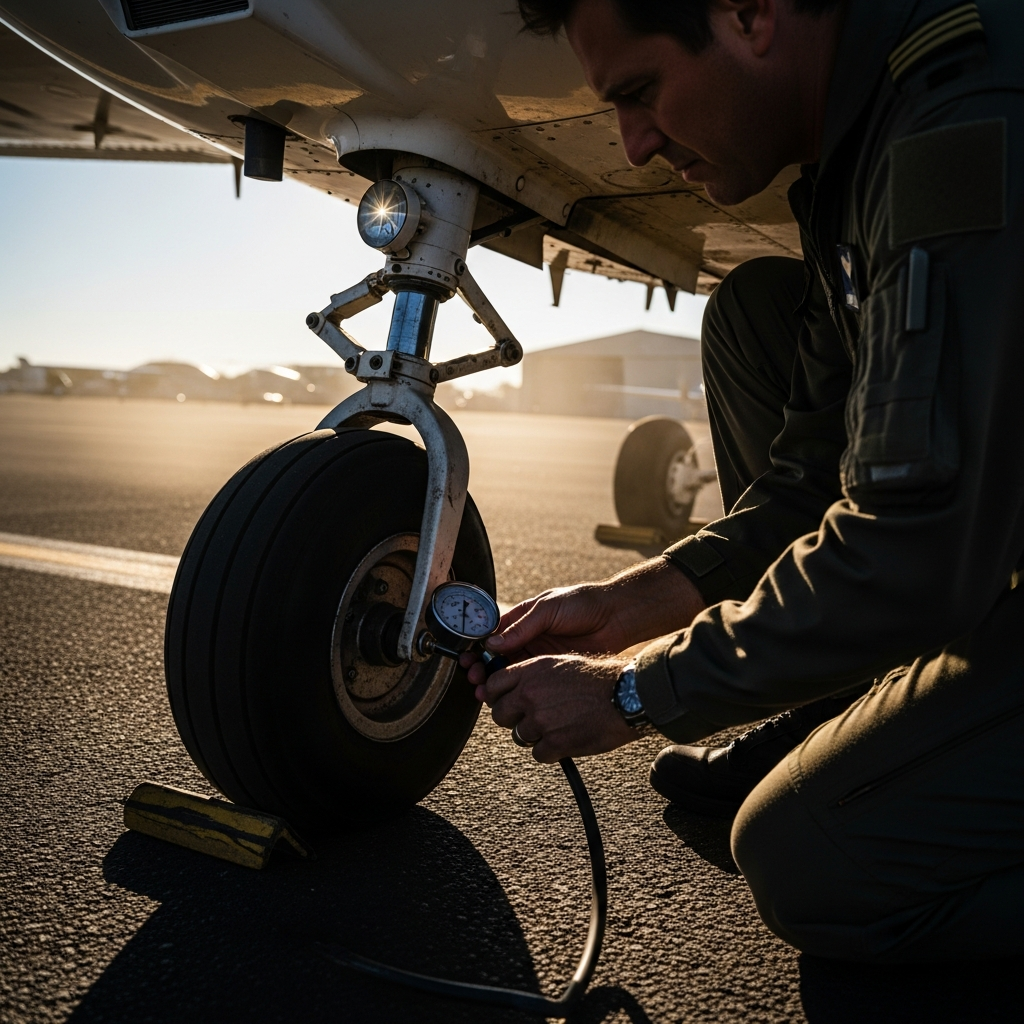
A close up of a pilot checking a small aircraft tire with a pressure gauge at the landing

As an Amazon Associate, Zulu Parts earns from qualifying purchases. Prices and availability are accurate as of the time of purchase.

Aircraft tires operate at significantly higher pressures than typical automotive tires — main gear tires on a Cessna 172 run around 42 psi, while Piper Cherokee nose tires and Beechcraft Bonanza main gear can push well above 60 psi. Using an automotive gauge that tops out at 50 psi or loses accuracy in the upper range isn’t just inconvenient, it’s a maintenance hazard. Proper inflation directly affects ground handling, tire wear, and — critically — the energy absorbed during landing. Under-inflated tires flex excessively and overheat; over-inflated tires reduce the contact patch and increase blowout risk on rough runways.

This guide is aimed at owner-operators of piston singles and light twins who handle their own preflight checks and routine maintenance under their A&P’s supervision, as well as line service personnel and flight schools keeping a fleet airworthy. The tools below range from precision dial gauges you’ll keep in your flight bag to dedicated inflators built for the ramp. Every product listed works reliably in the pressure ranges real GA aircraft actually demand.

Our top picks at a glance:

Product Best For Price
PCL Aircraft Tire Inflator Aircraft tire inflation and pressure control Check Price →
ASA Tire Pressure Gauge Aviation standard tire pressure measurement Check Price →
Michelin High-Pressure Tire Gauge High-pressure aircraft tire readings Check Price →
AccuGage High-Pressure Tire Gauge Accurate high-pressure gauge applications Check Price →
Milton Industries Dial Tire Gauge (High-Pressure) Mechanical high-pressure dial gauge measurement Check Price →

PCL Aircraft Tire Inflator

PCL is widely regarded as the professional standard for aircraft tire inflation equipment, and their inflators are a common sight at FBOs and flight schools worldwide. Built around a sturdy metal chuck and a robust regulator body, PCL inflators are designed specifically for the higher-pressure, higher-volume demands of aircraft tires — not repurposed automotive tools. The integrated gauge reads clearly, and the locking chuck style reduces air loss during connection, which matters when you’re trying to hit a precise target pressure rather than just “close enough.”

The trade-off is cost: PCL equipment sits at the higher end of the price range and is more appropriate for frequent shop or line-service use than for a private owner who checks pressures once a week. If you’re running a flight school or maintaining multiple aircraft, the durability justifies the investment quickly.

Check PCL aircraft tire inflator price on Amazon →

ASA Tire Pressure Gauge

Aviation Supplies & Academics (ASA) produces a dedicated aircraft tire pressure gauge that has become a staple in many pilot flight bags. Unlike generic gauges, it’s calibrated for the pressure ranges commonly found in general aviation — typically reading well past the 100 psi mark to accommodate retractable-gear aircraft and light twins. The gauge is compact enough to fit in a flight bag side pocket, and its clear dial face is easy to read in variable ramp lighting.

This is an excellent choice for owner-pilots doing their own preflight inspections and wanting a purpose-built, aviation-specific tool rather than a hardware-store substitute. It won’t replace a shop-quality inflator, but for checking and topping off with a portable tank or compressor, it performs reliably and is priced accessibly for individual owners.

Check ASA aircraft tire pressure gauge price on Amazon →

Michelin High-Pressure Tire Gauge

Michelin’s reputation in tire technology carries over into their gauge offerings, and their high-pressure dial gauges are frequently recommended for GA use because of their accuracy and build quality in the upper pressure ranges. A quality Michelin dial gauge typically features a steel Bourdon tube movement, rubber-protected body, and a bleed valve for letting out small amounts of air when fine-tuning pressure — a feature that’s genuinely useful when you’ve slightly over-inflated. The dial is large and easy to read.

These gauges suit owner-pilots who want a well-built, trusted-brand instrument at a mid-range price point. They’re not aviation-specific in branding, but the pressure range and accuracy make them a practical choice for most GA singles and light twins. Just confirm the model you select covers your aircraft’s specific pressure requirements before purchasing.

Check Michelin high-pressure dial tire gauge price on Amazon →

AccuGage High-Pressure Tire Gauge

AccuGage (made by Western Enterprises/Sherwood) is a well-regarded name among pilots who want precision instrumentation without the full cost of professional shop equipment. Their high-pressure models are available in ranges suitable for aircraft tires — some models extend to 160 psi — making them suitable for everything from a Cessna nose tire to the higher-pressure gear found on heavier singles and light twins. The gauges use a liquid-dampened dial movement that resists needle bounce, which gives a steadier, easier-to-read result than dry-movement gauges on a busy ramp.

AccuGage products are a strong choice for the detail-oriented owner who wants the kind of accuracy normally associated with shop gauges in a portable package. The liquid dampening is a meaningful differentiator if you find other gauges hard to read during inflation. These are specialty items that may be easier to source through aviation suppliers than general retail.

Check AccuGage high-pressure tire gauge aircraft price on Amazon →

Milton Industries Dial Tire Gauge (High-Pressure)

Milton is a long-established American manufacturer of air-tool accessories and gauges, and their heavy-duty dial gauges are popular in both automotive shops and on GA flight lines because of their straightforward reliability and wide availability. Milton’s high-pressure models are built around a solid metal case with a protective rubber boot, and the dual-foot chuck design seats firmly on aircraft valve stems. They’re a practical, no-frills option that’s easy to find and easy to replace if lost.

For pilots and A&Ps who want a dependable backup gauge or an everyday-use ramp tool without a significant outlay, Milton delivers consistent performance. They lack some of the premium features of AccuGage or PCL, but for routine pressure checks they’re hard to fault at their price point.

Check Milton high-pressure dial tire gauge price on Amazon →

How to Choose

Selecting the right gauge or inflator comes down to matching the tool to how and where you’ll use it — a flight-bag gauge has different requirements than a shop inflator used daily on a fleet. Consider these factors carefully before purchasing:

  • Pressure range: Confirm the gauge covers your specific aircraft’s tire pressures. Check your POH or maintenance manual — pressures vary significantly between nose and main gear, and between aircraft types.
  • Gauge accuracy and movement type: Liquid-dampened movements resist needle bounce and read more consistently. Bourdon-tube dial gauges are generally more accurate than stick-type gauges at higher pressures.
  • Chuck compatibility: Ensure the chuck fits standard aircraft valve stems. A locking chuck reduces air loss during inflation and makes it easier to hit a precise target pressure.
  • Intended use frequency: Occasional owner-use calls for a durable portable gauge; daily shop or line-service use justifies a professional-grade inflator like a PCL unit.
  • Bleed valve: A gauge with a bleed valve lets you release small amounts of air when you’ve slightly over-inflated — a useful feature for precision work that many budget gauges omit.

FAQ

Can I use a regular automotive tire gauge on my aircraft?

Most automotive gauges are not calibrated for the higher pressures found in aircraft tires, and many top out below what GA aircraft require. Using an out-of-range gauge gives inaccurate readings, which can be a safety issue. Always use a gauge rated for your specific aircraft’s tire pressures.

How often should I check tire pressure on a GA aircraft?

Best practice is to check tire pressure during every preflight inspection, or at minimum before the first flight of the day. Aircraft tires lose pressure gradually over time, and pressure also changes with temperature — a significant temperature drop overnight can meaningfully reduce inflation.

Where do I find the correct tire pressure for my aircraft?

The correct inflation pressure is listed in your aircraft’s Pilot’s Operating Handbook (POH) and in the aircraft maintenance manual. Pressures are also sometimes placard on the gear legs. Always use the manufacturer’s specified pressure — not the maximum pressure marked on the tire sidewall, which is a different figure.

Posted on

Best Fuel Testers for Preflight Sumping

A clear aviation fuel tester cup filled with blue avgas held under the wing of a Cessna du

As an Amazon Associate, Zulu Parts earns from qualifying purchases. Prices and availability are accurate as of the time of purchase.

Every preflight checklist has it: sump the tanks, check for water and sediment, confirm the right fuel grade. It sounds routine until the day your tester pulls a slug of water or reveals avgas in a jet-only airframe — and suddenly that thirty-second habit is the reason you’re walking away from the flight instead of the airplane. A quality fuel tester lets you see color, clarity, and contamination quickly and reliably, and it needs to hold up to repeated exposure to 100LL and Jet-A without cracking, clouding, or leaching residue into the sample.

This guide is aimed at owner-operators and student pilots flying piston singles and light twins — Cessnas, Pipers, Beechcrafts — who sump their own aircraft and want a tester that actually does the job. Whether you’re looking for the classic go-to jar, a combined drain-and-check tool, or something that handles awkward sump ports, there’s a right choice for your aircraft type and your preflight habits.

Our top picks at a glance:

Product Best For Price
GATS Jar Visual fuel contamination inspection Check Price →
ASA AFT-1 Aviation Fuel Tester Professional water detection testing Check Price →
MultiSump Fuel Tester Multiple aircraft fuel sampling Check Price →
SamplerCup Aviation Fuel Tester Portable fuel quality checks Check Price →
Spill-Safe Aviation Fuel Drain Tester with Sump Tube Mess-free fuel contamination sampling Check Price →

GATS Jar

The GATS (General Aviation Training Supplies) Jar is arguably the most widely recognized fuel tester in piston GA. Its large-capacity clear container gives you an excellent view of fuel color and makes spotting water globules or particulate matter straightforward in most lighting conditions. The screened drain at the bottom means you can safely dispose of the sample back through a chamois or strainer into an approved container, which is a real convenience at busy flight schools and FBOs where spilling 100LL on the ramp is a liability concern.

The GATS Jar is best suited to standard Cessna-style sumps with the protruding drain pin. Its generous volume lets you pull enough fuel to confidently check a deep sump. The main trade-off is bulk — it’s larger than slip-in-pocket alternatives — but most pilots stow it in a flight bag side pocket without issue. If you fly a Cessna 172, 182, or similar, this is the tester most CFIs will already have on the ramp.

Check GATS Jar aviation fuel tester price on Amazon →

ASA AFT-1 Aviation Fuel Tester

ASA’s AFT-1 is a compact, purpose-built tester with a clear acrylic body and a spring-loaded center probe designed to fit the standard GA sump drain. Its slim profile means it tucks easily into a flight bag or even a shirt pocket, which matters during a thorough preflight when you’re moving around the airplane quickly. The transparency of the acrylic gives good color discrimination — particularly useful when you need to distinguish between the blue tint of 100LL and clear Jet-A, or when checking for that telltale water meniscus at the bottom of the sample.

The AFT-1 is a solid everyday workhorse, especially for pilots who prioritize portability. It is best matched to standard drain-valve style sumps rather than recessed or non-standard ports. Some pilots find the capacity on the smaller side for deep tank sumps, but for routine preflight use on most Cessna and Piper models it performs reliably. It’s a popular choice as a first dedicated fuel tester for student pilots because of its low cost and ease of use.

Check ASA AFT-1 aviation fuel tester price on Amazon →

MultiSump Fuel Tester

The MultiSump is designed specifically to address the frustration of aircraft with multiple sump drain configurations. Where many testers work well on standard Cessna-style drains but struggle with Piper-style recessed sumps or Beechcraft drain locations, the MultiSump is engineered with interchangeable or multi-fit tips that can engage different drain valve types without improvisation. This versatility makes it particularly valuable if you fly more than one type of aircraft, fly club-owned mixed fleets, or own a Piper Cherokee, Archer, or Beechcraft Bonanza where sump access geometry differs from the Cessna norm.

The clear body provides adequate sample visibility for water and sediment checks, and the overall build quality is intended for repeated ramp use. The trade-off relative to simpler testers is slightly more complexity in cleaning and maintaining the multi-tip configuration, and it may be more than a single-type owner needs. For mixed-fleet operators and flight schools running both Cessnas and Pipers, it can eliminate the need to carry two different testers.

Check MultiSump aviation fuel tester multi-aircraft price on Amazon →

SamplerCup Aviation Fuel Tester

The SamplerCup takes a minimalist approach: a clear, lightweight cup with a simple drain probe that gets the fundamental job done without extra features. Its transparency is adequate for color and water checks, and the open-top cup design makes it very easy to visually inspect the fuel from multiple angles, which some pilots prefer over a closed-body tester. It’s also easy to rinse and keep clean. For student pilots or owners who want an inexpensive, fuss-free backup tester to keep in a flight bag alongside a primary tool, it fits that role well.

The SamplerCup is not the choice for awkward sump locations or deep-sump tanks where you need significant sample volume. It also offers fewer safeguards against spilling a sample on the ramp, which matters for environmental compliance at some airports. Think of it as a reliable, no-frills option rather than a do-everything tool — best for standard drains on straightforward airframes where simplicity is the priority.

Check SamplerCup aviation fuel tester preflight price on Amazon →

Spill-Safe Aviation Fuel Drain Tester with Sump Tube

For pilots who regularly deal with recessed or hard-to-reach sumps — particularly common on low-wing aircraft like the Piper Cherokee series where you’re reaching up into the wing root — a tester with an extended sump tube can make the difference between a proper sample and an awkward reach that results in fuel on your arm or an incomplete check. Extended-tube designs keep your hand away from the drain stream and let you collect a meaningful sample from difficult angles. Some versions also incorporate a closed or semi-closed design to reduce spill risk.

The trade-off is that long-tube testers are harder to pocket and require more careful cleaning to prevent fuel residue buildup inside the tube. They earn their place in any kit used on low-wing aircraft and are worth carrying as a complement to a standard tester if your fleet includes both high- and low-wing types.

Check aviation fuel tester extended sump tube low wing price on Amazon →

How to Choose

The right fuel tester depends on the aircraft you fly, how often you sump, and practical factors like where you carry it. Consider these decision points before buying:

  • Aircraft sump type: Cessna high-wings typically use a standard protruding drain pin; Piper low-wings and Beechcraft models often use recessed or different-geometry drains. Confirm your aircraft’s sump style before choosing a tester with a fixed probe design.
  • Sample visibility: Clear acrylic or polycarbonate bodies are essential. Thicker-walled or larger-capacity containers make it easier to see water separation and assess color in bright ramp lighting.
  • Portability vs. capacity: Compact testers are convenient but may not pull enough volume from deep sumps. If you’re sumping large tanks or performing a thorough contamination check, capacity matters.
  • Spill management: Testers with screened or controlled drains let you return fuel to an approved container rather than spilling on the ramp — an important consideration at environmentally regulated airports.
  • Fleet compatibility: If you fly multiple aircraft types or instruct in a mixed fleet, a multi-fit or multi-tip tester saves time and eliminates the need for multiple tools.

FAQ

How much fuel should I sump from each drain point?

A commonly taught practice is to draw enough fuel to clearly see the color and to allow any water — which sinks below avgas — to separate visibly in the tester. A full tester cup or jar is generally sufficient for a clear visual check. Always follow your aircraft’s POH and your flight school or operator’s procedures for specific guidance.

Can I put the sampled fuel back in the tank?

Only if it is confirmed uncontaminated and the tester itself is clean. Testers with a screened or filtered drain — like the GATS Jar used with an appropriate chamois — are designed to facilitate safe return of uncontaminated fuel. Never return fuel that showed any sign of water or debris, and always use a clean, approved container or filter if returning fuel to the aircraft.

How do I tell water from fuel in the tester?

Water is denser than avgas and will settle to the bottom of the sample as a distinct clear or slightly cloudy layer with a visible meniscus separating it from the blue-tinted fuel above. Even a small amount of water is cause to re-sump until samples are clear. If water persists, ground the aircraft and have the fuel system inspected before flight.

Posted on

Best Aircraft Tie-Down Kits for Transient Parking

A small single engine airplane tied down on a sunny airport ramp with tie-down ropes and g

As an Amazon Associate, Zulu Parts earns from qualifying purchases. Prices and availability are accurate as of the time of purchase.

Transient parking at unfamiliar airports is one of those situations where proper tie-down equipment can make the difference between finding your airplane where you left it and filing an insurance claim. Wind conditions, ramp surface quality, and the availability of airport-provided hardware vary enormously from field to field, and relying on whatever rusty eyebolts a rural FBO has lying around is a gamble no careful pilot should take. Carrying your own tie-down kit adds only a few pounds to your baggage, but it buys genuine peace of mind whether you’re overnighting at a busy Class D or parked on a grass strip in the middle of nowhere.

This guide is aimed at owners and regularly flying pilots of single-engine and light twin Cessnas, Pipers, and Beechcrafts — the aircraft most commonly left unattended on transient ramps. The products below cover a range of budgets and use cases, from ultralight spiral anchors ideal for soft-surface fields to heavy-duty kitted solutions built for serious storm exposure. All are designed to work with your existing tie-down rings and a set of ropes or straps you likely already carry.

Our top picks at a glance:

Product Best For Price
The Claw Tie-Down Heavy-duty clamping without knots Check Price →
Storm Force Tie-Down Kit Complete multi-strap securing system Check Price →
FlyTies Aircraft Tie-Down Straps Quick-release strap-based tie-downs Check Price →
DeGroff EZ-Lock Tie-Down Fast locking mechanism securing Check Price →
Keeper Cable Aircraft Tie-Down Cables Durable cable-based aircraft restraint Check Price →

The Claw Tie-Down

The Claw has earned a loyal following among GA pilots for good reason: its corkscrew-style ground anchor is engineered to grip a wide variety of surfaces, from packed gravel to soft turf, without requiring a mallet or special tools. You twist it in by hand or with a simple bar through the eye, and the helical design resists pullout forces in multiple directions — important when gusts shift. It’s a compact, self-contained solution that fits easily in a flight bag, and the build quality is noticeably above bargain-bin spiral stakes.

The Claw suits pilots who frequently land at grass or unpaved strips where pavement tie-down rings simply don’t exist. On hard ramp surfaces it’s less useful unless rings are present, so it’s best thought of as a soft-field specialist or a supplement to a standard rope kit rather than a standalone all-surface solution. The trade-off is price — it sits above entry-level anchors — but for tail-down overnights at rural strips it’s hard to beat.

Check The Claw aircraft tie-down ground anchor price on Amazon →

Storm Force Tie-Down Kit

As the name suggests, the Storm Force kit is built with serious weather in mind. This is a more comprehensive package that typically includes heavy-duty anchors, reinforced straps or ropes, and hardware rated for higher load ratings than casual tie-down stakes. For pilots who fly into coastal areas, the Gulf States, or anywhere convective weather can develop quickly and severely, having a kit explicitly designed around storm loads is worth the investment. The components are matched to work together, which removes the guesswork of assembling a piecemeal system.

The Storm Force kit is heavier and bulkier than minimalist options, so it’s better suited to owners who drive to the airport rather than those trying to keep baggage weight to a minimum on a cross-country. It’s also a strong choice for aircraft owners who leave planes parked away from home base for extended periods, where a sudden frontal passage could put unattended equipment to the test. Expect a higher price point relative to basic kits, but the engineering behind storm-rated hardware justifies the cost when conditions turn ugly.

Check Storm Force aircraft tie-down kit price on Amazon →

FlyTies Aircraft Tie-Down Straps

FlyTies takes a strap-based approach rather than relying solely on traditional rope, which offers some genuine advantages: consistent tension, no knot-tying fumbling in the dark or cold, and resistance to the loosening that natural-fiber ropes can suffer after a rain. The integrated ratchet or cam-buckle mechanism (depending on the version) makes achieving proper tension straightforward even for less experienced pilots, which is an underrated safety factor — an improperly tensioned rope tie-down can be nearly as dangerous as no tie-down at all.

FlyTies works best at airports with established pavement tie-down rings, as the straps are designed to connect fixed points rather than act as ground anchors themselves. For the pilot who mostly parks at paved transient ramps and wants a lightweight, repeatable system that packs flat and stows easily, FlyTies is an excellent everyday carry. The trade-off compared to heavier kits is that they’re not a solution for soft-field anchoring without supplemental ground hardware.

Check FlyTies aircraft tie-down straps price on Amazon →

DeGroff EZ-Lock Tie-Down

The DeGroff EZ-Lock system is built around a quick-connect locking mechanism that snaps onto standard tie-down rings without threading knots or wrestling with hardware in awkward positions under a wing. For pilots who tie down frequently — flight school instructors, high-cycle renters, or owners doing multiple legs a day — the time savings and reduced frustration add up quickly. The locking action also provides a more positive, tamper-resistant connection than a simple rope loop, which matters on public ramps where a carelessly loosened knot by a passerby is a real possibility.

The EZ-Lock excels as a ramp-surface tie-down tool and is particularly well regarded for its durability and corrosion resistance in marine or high-humidity environments. Like FlyTies, it depends on existing anchor points, so it pairs well with spiral ground anchors if you fly into soft fields. Pilots who prioritize speed and simplicity over all other considerations will find the EZ-Lock system one of the most operationally convenient options on the market.

Check DeGroff EZ-Lock aircraft tie-down price on Amazon →

Keeper Cable Aircraft Tie-Down Cables

A well-known alternative worth including, Keeper Cable-style aircraft tie-down cables offer a steel-cable construction that adds a security dimension beyond weather protection — cable is significantly harder to cut or deter than rope or nylon strap. For transient parking at airports where theft of small aircraft components or even aircraft movement by unauthorized persons is a concern, the added resistance to tampering is a genuine advantage. Stainless or coated steel cables also hold up extremely well to UV, moisture, and temperature cycling that can degrade synthetic straps over time.

The trade-off is weight and the fact that cables require careful coiling to avoid kinking, and they’re less forgiving than rope if overtensioned. They’re best suited for pilots who regularly park in metropolitan areas or leave aircraft unattended for days at a time rather than for quick overnight stops at quiet rural strips.

Check aircraft tie-down security cable kit price on Amazon →

How to Choose

The right tie-down kit depends heavily on where and how you fly. A pilot who sticks to paved airports with fixed rings needs a very different solution than one who regularly explores backcountry grass strips. Think through your typical mission profile before buying.

  • Surface type: Paved ramps with existing rings call for straps or cable systems; unpaved or soft surfaces require ground anchors like spiral stakes.
  • Weather exposure: If you operate in storm-prone regions or leave aircraft parked for extended periods, prioritize higher load ratings and purpose-built storm kits.
  • Weight and portability: Pilots managing weight budgets carefully should favor compact strap systems; those with room to spare can carry more robust anchor kits.
  • Ease of use: Quick-connect mechanisms reduce errors in darkness, cold, or fatigue — a genuine safety consideration, not just a convenience.
  • Security concerns: For metropolitan or unattended long-term parking, steel cable systems provide an added layer of tamper resistance.

FAQ

How many tie-down points does a typical light single need?

Most Cessna, Piper, and Beechcraft singles have three standard tie-down points — two under the wings and one at the tail — and all three should be used whenever conditions warrant. Tying only the wings in gusty conditions can allow the tail to lift, which creates a dangerous lever effect on the entire airframe.

Can I use hardware-store rope for aircraft tie-downs?

Polypropylene or manila rope from a hardware store is better than nothing, but it’s not ideal. These materials can degrade faster under UV exposure, stretch unpredictably when wet, and may not carry consistent load ratings. Aviation-specific ropes, straps, and cables are designed and rated for the loads a wind-struck aircraft can generate, which is considerably more than most people intuitively expect.

Do tie-down kits expire or need regular inspection?

Yes — inspect your kit before every use and replace any component showing fraying, corrosion, cracking, UV degradation, or deformation in metal hardware. Synthetic straps in particular degrade with UV exposure over time even if they look intact externally. Most manufacturers recommend periodic replacement rather than using gear indefinitely, especially for equipment relied upon in high-wind situations.

Posted on

Best Portable Oxygen Systems for General Aviation

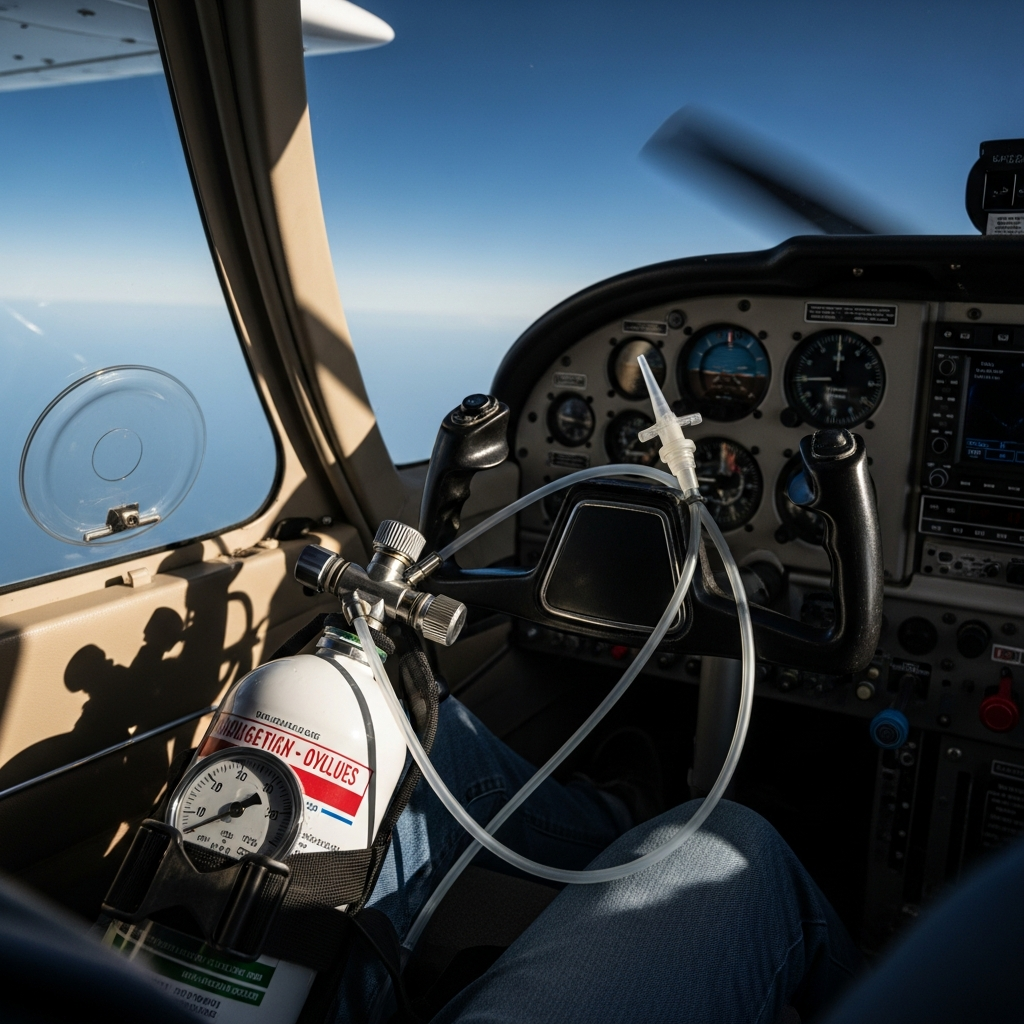
A portable aviation oxygen bottle with a nasal cannula in a high altitude general aviation

As an Amazon Associate, Zulu Parts earns from qualifying purchases. Prices and availability are accurate as of the time of purchase.

Flying above 10,000 feet MSL without supplemental oxygen isn’t just uncomfortable — it’s a genuine safety hazard that develops faster than most pilots expect. Hypoxia is insidious, impairing judgment and reaction time well before you notice any symptoms, and the FARs set minimums (15,000 feet without exception, 12,500 feet after 30 minutes) that many experienced pilots consider far too conservative to rely on as a personal limit. If you regularly fly in the flight levels, cross mountainous terrain, or operate a pressurized or unpressurized single or twin in the high teens, a portable oxygen system is one of the most worthwhile investments you can make in your cockpit.

This guide is written for owner-pilots of Cessna 172s through 210s, Piper Arrows, Saratogas, Senecas, Beechcraft Bonanzas, and similar general-aviation aircraft — aircraft that may or may not have factory oxygen provisions. The products below range from simple canned solutions for occasional excursions to serious electronic pulse-demand systems for IFR pilots who regularly cruise above 12,500 feet. All are genuinely available in the GA market; none require an A&P for installation in portable form.

Our top picks at a glance:

Product Best For Price
Mountain High O2D2 Portable Oxygen System Portable oxygen delivery for high altitude flying Check Price →
Aithre Shield Aviation Pulse Oximeter and Oxygen Monitor Real-time oxygen saturation monitoring during flight Check Price →
Boost Oxygen Portable Canned Oxygen Emergency supplemental oxygen for quick access Check Price →
Precise Flight Standby Oxygen System Certified standby oxygen system for aircraft Check Price →
Mountain High XCR Pulse Oximeter Portable pulse oximetry without integrated oxygen Check Price →

Mountain High O2D2 Portable Oxygen System

The Mountain High O2D2 (Oxygen Demand Diluter) is widely regarded as the gold standard in portable GA oxygen delivery. It uses a sophisticated electronic pulse-demand delivery system that reads your breathing rate and pulse-oximetry data, then meters oxygen precisely at the start of each inhale rather than flowing continuously — which means a standard cylinder lasts dramatically longer than with constant-flow equipment. The unit pairs with Mountain High’s XCR pulse oximeter and can support multiple users simultaneously, making it a legitimate solution for pilot and passenger alike on longer cross-countries above the teens.

The trade-off is cost and complexity relative to simpler systems. The O2D2 is an investment, and the electronics mean you have one more item to preflight and keep charged. That said, for any pilot who flies regularly above 12,500 feet in an unpressurized aircraft, the efficiency and the built-in SpO2 monitoring make this the most capable portable option on the market. It is not a casual purchase — it is purpose-built professional equipment.

Check Mountain High O2D2 portable aviation oxygen system price on Amazon →

Aithre Shield Aviation Pulse Oximeter and Oxygen Monitor

The Aithre Shield takes a different but equally important approach: rather than supplying oxygen itself, it provides continuous Bluetooth-connected pulse oximetry that streams your SpO2 and heart rate directly to an iPad running ForeFlight, Garmin Pilot, or the dedicated Aithre app. For pilots who already have a certified or portable oxygen system installed, the Shield closes the monitoring loop — you get a cockpit alert the moment your blood oxygen begins to drop, rather than waiting until impairment has already begun. The Bluetooth connectivity and ForeFlight integration make it exceptionally clean to use in a glass-panel or EFB-equipped cockpit.

The Shield is not a replacement for a delivery system; it is a companion to one, or a standalone early-warning tool for pilots who want objective data at lower altitudes where supplemental O2 is not yet required. It is compact, wearable, and requires no FAA approval as a monitoring-only device. Pilots who combine the Aithre Shield with any of the delivery systems in this guide have a genuinely complete oxygen-management solution.

Check Aithre Shield aviation pulse oximeter Bluetooth price on Amazon →

Boost Oxygen Portable Canned Oxygen

Boost Oxygen occupies a very different niche from the systems above. These are pre-filled, lightweight canisters of supplemental oxygen — no regulator, no cylinder hydro, no pulse-demand electronics. For a VFR pilot who occasionally crosses a mountain range or encounters an unexpected altitude excursion, a couple of Boost Oxygen canisters in the flight bag provide a meaningful emergency buffer. They are available in sport and large sizes and require no special storage approvals for portable use in a small aircraft.

Be clear-eyed about the limitations: Boost Oxygen canisters are not a substitute for a regulated oxygen system on sustained high-altitude operations. The volume per canister is modest, delivery is not metered for altitude, and they are best thought of as a short-duration supplement or an emergency backup rather than primary IFR oxygen equipment. For a student pilot heading over the Rockies or a weekend flyer making a single high-altitude crossing, however, they are an accessible and genuinely useful safety item with essentially zero setup complexity.

Check Boost Oxygen portable canister supplemental oxygen price on Amazon →

Precise Flight Standby Oxygen System

Precise Flight has been a trusted name in GA oxygen equipment for decades, and their Standby Oxygen Systems are designed specifically for use in certificated aircraft as portable or semi-permanent installations. Precise Flight systems use continuous-flow delivery through standard aviation cannulas and are compatible with the company’s line of regulators and cylinders. They are a practical choice for Cessna and Beechcraft owners who want an orthodox, well-supported oxygen solution with readily available replacement parts and a long service history in the type clubs.

Continuous-flow delivery is less oxygen-efficient than pulse-demand at altitude, meaning cylinder duration is shorter for equivalent use — this is the primary trade-off versus the Mountain High O2D2. However, the technology is simpler, the system is easy to operate under workload, and Precise Flight’s customer support and documentation for GA aircraft are excellent. For a Bonanza or Cessna 210 owner who flies in the mid-teens occasionally and wants reliable, uncomplicated oxygen capability, Precise Flight remains a thoroughly sound choice.

Check Precise Flight standby oxygen system general aviation price on Amazon →

Mountain High XCR Pulse Oximeter

For pilots already using a Mountain High delivery system, or anyone who wants a dedicated wrist-worn aviation pulse oximeter, the Mountain High XCR is purpose-built for the cockpit environment. Unlike consumer fitness oximeters, it is designed to function accurately under vibration and variable lighting, and it integrates directly with Mountain High’s O2D2 system to provide closed-loop oxygen management. The display is readable in direct sunlight, and the device can alert you to dropping SpO2 before symptoms appear.

As a standalone monitor, the XCR is a strong pick for pilots who want hardware purpose-designed for aviation rather than adapted from a consumer product. It does not have the Bluetooth/EFB integration of the Aithre Shield, so your choice between the two may come down to whether you prefer a wrist display or cockpit-app integration. Either way, pairing an oximeter with your delivery system is a best practice, not a luxury.

Check Mountain High XCR pulse oximeter aviation price on Amazon →

How to Choose

The right portable oxygen system depends primarily on how often you fly at altitude, how many occupants need coverage, and how much you value delivery efficiency versus simplicity. Here are the key factors to weigh before purchasing:

  • Delivery method: Pulse-demand systems (Mountain High O2D2) are far more efficient with oxygen supply than continuous-flow (Precise Flight), making them superior for extended high-altitude operations.
  • Number of users: Some systems support one user; others can feed pilot and passengers simultaneously. Confirm crew capacity before buying.
  • Monitoring integration: A delivery system without SpO2 monitoring is flying partially blind. Budget for an oximeter — Aithre Shield for EFB integration, Mountain High XCR for standalone wrist display.
  • Frequency of use: For rare altitude excursions, Boost Oxygen canisters or a simple continuous-flow setup may be entirely adequate. For regular IFR flight above 12,500 feet, invest in a full pulse-demand system.
  • Cylinder logistics: Consider how you will have cylinders refilled or swapped in your home area, and whether the system uses standard industrial/medical fittings or proprietary connections.

FAQ

At what altitude should I start using supplemental oxygen?

The FARs require flight crew oxygen use above 12,500 feet MSL after 30 minutes, and above 14,000 feet at all times. Most aviation medical professionals recommend beginning supplemental oxygen at or below 10,000 feet, particularly at night when dark-adaptation is already reducing night vision. Many experienced high-altitude pilots use oxygen from 8,000–9,000 feet onward during long flights.

Do portable oxygen systems require FAA approval to use in my aircraft?

Truly portable oxygen equipment — meaning it is not permanently installed and does not penetrate the aircraft structure — generally does not require a Supplemental Type Certificate or Form 337. However, you should confirm with your A&P and review your aircraft’s POH and any applicable ADs before using any oxygen equipment in flight. Permanently plumbed systems are a different matter and do require approved installation.

How long does a portable oxygen cylinder typically last?

Duration varies significantly by cylinder size, altitude, number of users, and delivery method. A pulse-demand system can extend cylinder life two to four times compared with continuous flow at the same altitude. As a general rule, always calculate your expected cylinder duration for the planned flight and carry reserve. Most portable GA cylinders are rated in cubic feet; your system’s documentation will provide duration tables by altitude and flow setting.

Posted on

Best Aviation Sunglasses for Pilots

A pair of aviator sunglasses resting on the instrument panel of a general aviation airplan

As an Amazon Associate, Zulu Parts earns from qualifying purchases. Prices and availability are accurate as of the time of purchase.

Clear, distortion-free vision is as fundamental to safe flying as a proper preflight. The cockpit environment is uniquely demanding: high-altitude UV exposure, glare off clouds and instrument panels, the need to read both analog gauges and glass displays, and the requirement to spot traffic before ATC calls it out. A great pair of aviation sunglasses doesn’t just protect your eyes — it actively supports situational awareness in ways that a fashionable pair of off-the-shelf shades simply cannot match.

This guide is aimed at VFR and IFR pilots flying Cessnas, Pipers, Beechcrafts, and similar general-aviation aircraft. Whether you’re a student pilot buying your first real pair or a seasoned ATP replacing a well-worn favorite, the picks below represent genuinely proven options in the aviation community. We’ve focused on optical quality, lens technology, frame fit under a headset, and the critical question of compatibility with cockpit displays.

Our top picks at a glance:

Product Best For Price
Flying Eyes Hawk Pilot-grade optical clarity and durability Check Price →
Randolph Aviator Military-spec aviation eyewear standards Check Price →
Serengeti Aviator Photochromic lens performance in variable light Check Price →
Method Seven Operator Indoor and outdoor light adaptation Check Price →
Oakley Flight Jacket Sport aviation with impact protection Check Price →

Flying Eyes Hawk

The Flying Eyes Hawk is purpose-built for pilots and solves one of the most persistent cockpit frustrations: headset comfort. The wraparound frame uses slim, flexible temples that slide cleanly under headset ear cups without creating painful pressure points during long flights. The fit is secure in turbulence without clamping, and the frame geometry keeps lenses positioned optimally in front of your eyes rather than tilting as ear cups shift.

Lens options include gray and brown tints in both standard and polarized variants. The gray lenses are a reliable choice for most cockpit use, and Flying Eyes is candid about recommending non-polarized versions if you frequently fly with LCD-based glass panels, since polarized lenses can create dark spots on certain display angles. Build quality is robust, and this is a frame designed by pilots rather than adapted from a sports catalog.

Check Flying Eyes Hawk aviation sunglasses pilot price on Amazon →

Randolph Aviator

The Randolph Aviator is one of the most historically significant and consistently respected frames in aviation. Originally produced for U.S. military pilots, the bayonet temple design — straight arms that slide past the ears rather than hooking around them — was specifically engineered for helmet and headset compatibility. Decades later, that design remains a benchmark. The frame is crafted in the USA from high-quality metals with exceptional fit adjustability through an optician or careful bending.

Randolph offers these in multiple lens materials including their SkyForce AR lenses designed specifically for aviators, with options in gray, brown, and tan. Optical clarity is exceptional — these are ground to tight tolerances. The main trade-off is price; Randolph sits at the premium end of the market. But for pilots who prioritize American manufacturing, military heritage, and outstanding optics, the investment is well justified and the frames last for many years of hard use.

Check Randolph Aviator sunglasses SkyForce pilot price on Amazon →

Serengeti Aviator

Serengeti has built a strong reputation around their photochromic lens technology, and their aviator-style frames bring that innovation to the cockpit. Serengeti’s Spectral Control and Drivers lenses darken and lighten in response to light conditions, which can be genuinely useful during mixed-condition flying — transitioning from a bright overcast to direct sun, for example. The optical clarity is very good, and the classic aviator silhouette provides a wide field of view.

Pilots should be aware that photochromic lenses don’t always react as quickly or as darkly as a fixed-tint lens in peak sun conditions, and some photochromic technologies are less responsive behind UV-blocking windshields. Serengeti’s formulations are among the better performers in this regard, but it’s worth understanding the limitation. These are a strong choice for pilots who move between the cockpit and the ramp frequently and want one pair that adapts rather than switching glasses.

Check Serengeti aviator sunglasses photochromic pilot price on Amazon →

Method Seven Operator

Method Seven built their reputation in horticultural lighting environments where precise color rendering under artificial spectra is critical, and they’ve applied that same lens engineering discipline to aviation with their Operator series. The lenses are designed to offer high contrast and natural color rendering in bright, high-altitude light while reducing overall fatigue. The optical quality is genuinely impressive, with minimal distortion even at the lens periphery.

The Operator frames use a straightforward, understated design that works acceptably with most headsets, though the temples are not as slim-profiled as the Flying Eyes Hawk. These sunglasses tend to appeal to pilots who prioritize optical science and color fidelity — useful when reading sectionals in the air or assessing cloud textures and weather. They sit at a premium price point, but the lens technology is the real product here rather than fashion.

Check Method Seven Operator aviation sunglasses price on Amazon →

Oakley Flight Jacket

The Oakley Flight Jacket is a well-known alternative that earns genuine respect in the cockpit despite being a broader sports-focused product. Its Prizm lens technology enhances contrast in specific lighting environments, and the interchangeable lens system means you can swap from a dark tint for afternoon sun to a lighter tint for evening or overcast conditions — practical versatility for cross-country flying. The unobtanium nose and ear grip materials keep the frame secure during any cockpit workload.

The wraparound shield-style lens offers excellent peripheral protection and a wide field of view. The trade-off is that the frame’s thicker temples can conflict with certain headset designs more than a dedicated aviation frame will. Oakley also offers prescription options through their Oakley Rx program, which is a meaningful advantage for pilots who need corrective lenses. For pilots already in the Oakley ecosystem or who want the flexibility of a sport-crossover frame, the Flight Jacket is hard to dismiss.

Check Oakley Flight Jacket sunglasses Prizm aviation price on Amazon →

How to Choose

With several strong options available, the right pair depends on your specific flying, your cockpit setup, and how you wear a headset. Focus on these factors before purchasing:

  • Headset compatibility: If you wear an over-ear ANR headset for hours at a time, temple thickness and shape matter enormously. Bayonet or slim-temple designs reduce pressure and ear-seal gaps.
  • Display compatibility: Polarized lenses can cause dark banding or blanking on certain LCD glass-panel avionics. If you fly with a Garmin G1000, Avidyne, or similar display, test polarized lenses carefully or choose non-polarized tints.
  • Lens tint: Gray tints preserve the most natural color perception. Brown and amber tints boost contrast, which some pilots prefer for VFR traffic spotting and terrain reading. Neither is universally superior.
  • Fixed vs. photochromic: Photochromic lenses offer adaptability but may not darken sufficiently in peak conditions. A fixed-tint lens in the right darkness for your typical flying is often more predictable.
  • Prescription needs: If you require corrective lenses, verify whether the frame accommodates prescription inserts or Rx grinding. Not all aviation frames are easily adapted.

FAQ

Are polarized lenses safe for cockpit use?

Polarized lenses can interfere with the readability of certain LCD avionics displays, creating dark spots or color shifts depending on your viewing angle. They are not prohibited, but many experienced pilots and manufacturers recommend non-polarized aviation lenses, especially in glass-panel aircraft. Test before committing to polarized if your panel includes LCD screens.

What lens color is best for pilots?

Gray is the most widely recommended tint for aviation because it reduces brightness without distorting color perception — critical for reading charts, recognizing weather, and spotting traffic. Brown and copper tints increase contrast and work well in haze, but alter color slightly. The best choice depends on your typical flying environment and personal preference.

Do I need sunglasses specifically marketed as aviation products?

Not strictly — the FAA does not mandate a specific type of sunglasses. However, aviation-specific frames are designed with headset clearance, wide field of view, and optical distortion tolerances that matter in the cockpit. A well-made general sport or quality optical frame can work, but purpose-built aviation designs solve real problems that general eyewear simply doesn’t address.

Posted on

Best Pilot Flight Bags for Cross-Country Flying

An open pilot flight bag with an aviation headset, folded charts and a handheld radio, on

As an Amazon Associate, Zulu Parts earns from qualifying purchases. Prices and availability are accurate as of the time of purchase.

A well-chosen flight bag is one of those pieces of gear that quietly makes every cross-country flight better. It keeps your charts, headset, iPad, and emergency gear organized and accessible during preflight, en route, and on the ramp — and on a long trip with multiple legs, that organization pays real dividends in reducing cockpit clutter and pilot fatigue. Whether you fly a Cessna 172, a Piper Arrow, or a Beechcraft Bonanza, the bag you carry is with you every single flight, so getting the right one matters.

Cross-country flying puts specific demands on a flight bag that local pattern work doesn’t. You need room for an EFB tablet, a quality headset, approach plates or a kneeboard, snacks, and overnight gear — all in a package that fits under a Cessna’s cramped panel or in a Piper’s baggage compartment without becoming a cockpit hazard. The picks below cover a range of sizes, organizational styles, and price points to match different flying missions and aircraft types.

Our top picks at a glance:

Product Best For Price
Sporty’s Crosswind Flight Bag Affordable everyday flight bag option Check Price →
Flight Outfitters Lift Flight Bag Lightweight organization with comfortable carry Check Price →
Brightline Bags B7 CORE Flight Bag Premium durable construction and design Check Price →
MyGoFlight Flight Bag PLC Customizable organization for various pilots Check Price →
Jeppesen Flight Bag (Large Tri-Fold) Large capacity tri-fold storage solution Check Price →

Sporty’s Crosswind Flight Bag

Sporty’s has been outfitting pilots for decades, and the Crosswind reflects that institutional knowledge. It’s a medium-sized, soft-sided bag with well-thought-out compartmentalization — dedicated slots for charts, a headset compartment, and exterior pockets that keep frequently grabbed items like sunglasses and a handheld radio within easy reach. The materials are durable without being excessively heavy, which matters when you’re already carrying a headset case and an overnight bag across a busy FBO ramp.

The Crosswind suits the private pilot or instrument student who wants a classic, no-fuss layout at a reasonable price point. It won’t win awards for modular customization, but its straightforward design means everything has a place and you’ll find it quickly on a bumpy leg in IMC. A solid first “real” flight bag for pilots moving beyond a backpack.

Check Sporty’s Crosswind flight bag pilot price on Amazon →

Flight Outfitters Lift Flight Bag

The Flight Outfitters Lift has earned a loyal following among general aviation pilots who want a thoughtfully modern bag without paying professional-grade prices. Its standout feature is the dedicated padded tablet sleeve that securely holds an iPad mini through a full-size iPad, making it a natural fit for ForeFlight-equipped pilots. The main compartment is deep enough for a David Clark or Bose A20 headset, and the exterior layout keeps approach plates and a kneeboard accessible without digging.

The Lift is particularly well-suited to the IFR cross-country pilot who has largely gone paperless but still wants structure and protection for electronic gear. Build quality is above average for its price range, with reinforced stress points and quality zippers. If you’re flying 200–400 nm legs in a Piper Archer or Cessna 182 and your bag needs to double as carry-on luggage, the Lift handles that duty well without looking out of place in a terminal.

Check Flight Outfitters Lift flight bag price on Amazon →

Brightline Bags B7 CORE Flight Bag

The Brightline B7 CORE takes a fundamentally different approach to flight bag design — it’s a modular system where you purchase a base bag and add or remove attachment modules based on the mission. The B7 configuration gives you a substantial main compartment plus the ability to clip on additional pouches for a headset, documents, survival gear, or whatever a specific trip demands. This isn’t a gimmick; for pilots who fly different aircraft types or mix cross-country flying with light backcountry work, the modularity is genuinely practical.

The trade-off is that getting the most out of a Brightline system means investing in multiple modules over time, and the total cost can climb accordingly. The bags are made in the USA from high-quality materials and are built to last many years of hard use. The B7 is best suited to the serious cross-country pilot or CFI who wants one bag architecture that adapts to varied missions rather than owning several specialized bags.

Check Brightline Bags B7 CORE flight bag modular price on Amazon →

MyGoFlight Flight Bag PLC

MyGoFlight built its reputation on iPad and tablet mounting solutions for the cockpit, and the Flight Bag PLC reflects that EFB-first design philosophy. The PLC (Pilot Leg Companion) is a slim, lightweight bag optimized for the modern pilot who runs a mostly digital cockpit. It features a secure tablet pocket sized for iPad generations, a kneeboard-style leg strap system, and enough organization for the essentials without the bulk of a traditional flight bag. It’s compact enough to sit on your lap or tuck beside the seat in a Cessna 172.

Where the PLC stands out is convenience during taxi, run-up, and the cockpit-intensive phases of a cross-country flight — everything you need is within arm’s reach and secured. Pilots who prefer a minimalist loadout and have already solved headset storage separately will find this bag exceptionally well-suited to their workflow. It’s less appropriate if you want a single bag to carry a bulky ANR headset, overnight clothes, and all your chart materials together.

Check MyGoFlight Flight Bag PLC pilot price on Amazon →

Jeppesen Flight Bag (Large Tri-Fold)

No cross-country flight bag roundup is complete without acknowledging Jeppesen’s large tri-fold bag, a longtime standard in professional and serious amateur aviation circles. Designed originally with the chart-heavy IFR pilot in mind, it opens flat to reveal an organized layout that accommodates Jeppesen binders, approach plates, logbooks, and full-size charts alongside headset storage and electronics pockets. The construction is robust and the design is time-tested over decades of real-world use.

This is the bag for the pilot who flies frequently in the IFR system, keeps physical Jeppesen plates as a backup, and values the ability to spread out their materials on an FBO counter during a weather stop. It’s larger and heavier than the other picks here, so cockpit space is a consideration in smaller singles. But for a Beechcraft Baron or Bonanza pilot who wants a professional-grade, durable bag with maximum carrying capacity, it remains one of the best choices available.

Check Jeppesen large tri-fold pilot flight bag price on Amazon →

How to Choose

The right flight bag depends on how you fly, what aircraft you fly, and how much gear you realistically carry on a typical cross-country. Honest self-assessment here saves money — most pilots overestimate how much bag they need, and a smaller, well-organized bag usually outperforms a large one that becomes a grab pile.

  • Aircraft size and cockpit space: Small singles like a Cessna 172 have limited floor and seat space; slim, upright bags or kneeboard-style options work better than large soft cases.
  • Paper vs. digital workflow: If you fly with ForeFlight or Garmin Pilot on a tablet exclusively, prioritize a bag with a good padded tablet sleeve over one built around chart binder storage.
  • Headset type and case: Large ANR headsets like the Bose A20 or Lightspeed Zulu take up significant volume. Confirm a bag’s headset compartment dimensions before buying if this is a priority.
  • Trip length: Day trips and local cross-countries need far less bag than week-long fly-outs. If the bag also needs to serve as carry-on luggage, choose a profile that fits airline overhead bin guidelines.
  • Durability and construction: Look for reinforced zippers, quality stitching at stress points, and water-resistant materials — your bag will spend time on wet ramps and in dusty hangars.

FAQ

What size flight bag do I need for a cross-country trip?

For most single-engine cross-country flying, a medium-sized bag in the range of 20–30 liters is sufficient to carry a headset, tablet, kneeboard, and essential documents without overwhelming a small cockpit. Larger bags make more sense if you regularly carry physical chart binders or need overnight gear integrated into a single bag.

Can I use a regular backpack instead of a dedicated flight bag?

You can, and many student pilots do — but purpose-built flight bags organize aviation-specific gear (chart pockets, headset compartments, tablet sleeves) in ways that general backpacks don’t. On a long cross-country with multiple approaches, that organization reduces workload and helps you find critical items quickly. A dedicated bag is a worthwhile investment once you’re flying regularly.

Are modular flight bags like the Brightline system worth the extra cost?

If your flying missions vary significantly — mixing IFR cross-countries, backcountry strips, and instructing, for example — the ability to reconfigure a modular bag for each mission type provides real value over time. If you fly one type of mission consistently, a fixed-layout bag at a lower upfront cost will likely serve you just as well.

Posted on

Best iPad Kneeboards for EFB Pilots

Tablet kneeboard in a general aviation cockpit

As an Amazon Associate, Zulu Parts earns from qualifying purchases. Prices and availability are accurate as of the time of purchase.

For pilots running an Electronic Flight Bag on an iPad, a quality kneeboard is one of the most practical investments you can make in the cockpit. Whether you’re flying a Cessna 172 on cross-countries or shooting approaches in a Piper Arrow, having your EFB stable, accessible, and at the right angle makes a measurable difference in workload and situational awareness. A wobbly tablet propped on your thigh is a distraction — a well-designed iPad kneeboard keeps it locked in place so you can focus on flying.

Not every kneeboard suits every pilot or every airplane. Fit, weight, viewing angle, and whether you still want space for a paper notepad all factor into the decision. The picks below cover the most popular and well-regarded options in the GA community, from minimalist clip-style boards to full-featured EFB platforms. All are worth serious consideration depending on how and where you fly.

Our top picks at a glance:

Product Best For Price
MyGoFlight Sport Kneeboard Basic EFB mounting for general aviation Check Price →
Flight Outfitters iDeck Kneeboard iPad integration with professional organization Check Price →
Flyboys Kneeboard Durable everyday flying with clip storage Check Price →
Sporty’s Flip-Up Kneeboard Quick access to charts and notes Check Price →
ASA Kneeboard with iPad Strap Dedicated iPad mounting and leg comfort Check Price →

MyGoFlight Sport Kneeboard

The MyGoFlight Sport is one of the most purpose-built iPad kneeboards available for GA pilots. It uses a low-profile, aircraft-grade aluminum construction with a friction-fit mount that securely holds the iPad without blocking ports or buttons — a genuine day-to-day convenience. The leg strap system is comfortable for long flights and the overall design is slim enough to avoid interference with yoke or control column movement in tighter cockpits like the Cessna 152 or Piper Cherokee.

Where it stands out is rigidity. The tablet doesn’t flex or bounce during turbulence, which matters when you’re trying to read a chart or manipulate a moving map. The trade-off is price — MyGoFlight products sit at the higher end of the market — but pilots who fly regularly tend to find the durability and fit justify the investment.

Check MyGoFlight Sport iPad kneeboard price on Amazon →

Flight Outfitters iDeck Kneeboard

The Flight Outfitters iDeck takes a different approach by integrating a spring-loaded iPad holder with a traditional kneeboard clipboard underneath, giving you one platform for your EFB and a place to clip weather printouts, approach plates, or a fuel log. The build quality is solid and the design has been refined over several product generations, earning it loyal fans among instrument-rated pilots who still keep paper backups. The clip mechanism accommodates a range of iPad sizes including the standard iPad and iPad mini.

The iDeck is particularly well-suited to pilots transitioning from a paper-heavy workflow to a hybrid EFB setup. It’s a bit bulkier than pure mount-only options, but for cross-country IFR flying where you may want both digital and paper references, that bulk earns its keep. Leg strap quality is adequate and the overall package feels thoughtfully designed for real-world cockpit use.

Check Flight Outfitters iDeck iPad kneeboard price on Amazon →

Flyboys Kneeboard

Flyboys has a long history in the kneeboard market and their iPad-compatible models carry forward the brand’s reputation for straightforward, durable construction. The Flyboys lineup emphasizes accessibility and value, making their boards a strong choice for student pilots or those who don’t want to spend heavily on a kneeboard before deciding how central the iPad will be to their workflow. The elastic straps and pocket-style tablet holder work with a variety of iPad sizes and the writing surface remains a featured element of the design.

The construction is notably lighter than aluminum-frame competitors, which some pilots appreciate and others view as a trade-off in rigidity. In calm-air VFR flying — the kind of flying that defines most training environments — this is rarely an issue. For pilots who want something no-fuss that gets the job done in a Cessna 172 training fleet, Flyboys delivers reliable function at a lower price point.

Check Flyboys iPad kneeboard pilot price on Amazon →

Sporty’s Flip-Up Kneeboard

Sporty’s Pilot Shop has offered their own kneeboard designs for decades and their flip-up model is designed with versatility in mind. The flip-up panel allows you to configure the board as a flat writing surface or angle the iPad for better viewing, which is a genuine ergonomic advantage on longer flights where neck and eye fatigue add up. The design is oriented toward pilots who still use a combination of written notes and digital reference, keeping a usable notepad section integrated into the layout.

The Sporty’s flip-up tends to be well-priced relative to its feature set and benefits from Sporty’s quality control and customer service reputation. It’s not the most specialized EFB mount on the market, but for a VFR cross-country pilot who wants flexibility and value, it covers the basics competently. Fit across different iPad generations can vary, so confirm sizing compatibility for your specific tablet model before purchasing.

Check Sporty’s flip-up iPad kneeboard pilot price on Amazon →

ASA Kneeboard with iPad Strap

ASA (Aviation Supplies and Academics) produces a straightforward kneeboard that includes an adjustable strap or clip system for securing an iPad alongside traditional kneeboard features. ASA’s aviation products are widely used in the training community and their kneeboard reflects that focus: durable, practical, and priced for pilots who are building their kit without a large budget. The writing surface and storage pocket remain central features, with the iPad accommodation treated as an add-on to a proven design rather than a ground-up EFB-first approach.

This makes the ASA board an excellent choice for student pilots and flight school environments where kneeboards see heavy rotation and need to hold up to regular use without premium pricing. It won’t impress pilots looking for a precision-engineered EFB mount, but it functions reliably and the ASA brand is a known quantity in GA training.

Check ASA pilot kneeboard iPad price on Amazon →

How to Choose

The right iPad kneeboard depends heavily on the type of flying you do, how much cockpit space you’re working with, and whether your workflow is fully digital or still incorporates paper. Consider the following before making a decision:

  • iPad size and fit: Confirm the kneeboard supports your specific iPad model — standard iPad, iPad mini, and iPad Air have meaningfully different dimensions, and a poor fit undermines the whole point of the mount.
  • Cockpit space: Tighter aircraft like the Cessna 152, Piper Tomahawk, or older trainers leave less leg room. A slimmer, lighter board reduces interference with controls and reduces fatigue on longer flights.
  • Paper vs. fully digital workflow: If you still want room for a notepad, approach plate printouts, or a fuel log, choose a kneeboard with an integrated clipboard or storage pocket. If you’re fully paperless, a dedicated mount-only design may be lighter and more streamlined.
  • Rigidity and turbulence handling: Pilots flying IFR, mountain flying, or cross-countries through variable air benefit from a stiffer, more secure mount. Casual VFR flying is more forgiving of lightweight designs.
  • Budget: Premium materials and precision mounting cost more. Evaluate honestly how many hours you fly per year — a high-frequency flier gets real value from a top-tier board; an occasional flier may be well served by a mid-range option.

FAQ

Will these kneeboards work with an iPad in a protective case?

Many will, but fit can be tight. Check the manufacturer’s specifications for maximum tablet thickness if you use a ruggedized or bulky case. Slim-profile cases are generally compatible with most spring-loaded or strap-based holders.

Is a kneeboard necessary if my aircraft already has a yoke mount?

Yoke mounts are convenient but can obstruct your instrument scan and are unavailable in aircraft with control sticks. A kneeboard keeps the iPad in your peripheral view without blocking the panel and is usable across any aircraft type, making it a more versatile solution for pilots who fly multiple airplanes.

Do any of these kneeboards work for left-handed or right-seat pilots?

Most kneeboards are designed to be worn on either leg, though the leg strap orientation and any writing surface layout may favor the right leg by default. Check product details for ambidextrous or reversible configurations if you routinely fly from the right seat or prefer the left leg.

Posted on

Best Handheld Aviation GPS Units for the Cockpit

A handheld aviation GPS unit displaying a colorful moving map, mounted on the yoke of a Ce

As an Amazon Associate, Zulu Parts earns from qualifying purchases. Prices and availability are accurate as of the time of purchase.

A reliable handheld aviation GPS can be the difference between a confident cross-country and a stressful one. Whether you’re flying a well-equipped Cessna 172 with a glass panel or an older Piper Cherokee with a basic stack, a portable GPS gives you situational awareness that supplements — and sometimes surpasses — what’s installed on the panel. For student pilots building cockpit familiarity, backcountry flyers who need terrain awareness, or owners of older GA aircraft who aren’t ready to commit to an expensive panel upgrade, a handheld unit delivers a remarkable amount of capability for a relatively modest investment.

The market for portable aviation GPS has matured considerably, and today’s options range from current-generation touchscreen units packed with weather and traffic features to well-loved legacy devices that still earn their place in the flight bag. This guide covers the strongest options available — including a classic that refuses to retire — so you can match the right unit to your flying style and budget.

Our top picks at a glance:

Product Best For Price
Garmin aera 760 Advanced aviation with touchscreen display Check Price →
Garmin aera 660 Mid-range aviation GPS with reliability Check Price →
Garmin GPSMAP 296 (Used) Budget aviation GPS option Check Price →
Garmin GPSMAP 695/696 Integrated panel-mount aviation navigation Check Price →
Bad Elf GNSS Performer Portable external GNSS receiver Check Price →

Garmin aera 760

The Garmin aera 760 sits at the top of the current portable GPS lineup for good reason. Its large 7-inch sunlight-readable touchscreen makes it genuinely usable in bright cockpit conditions, and the portrait-or-landscape mounting flexibility suits a wide range of aircraft interiors. It supports Garmin’s Smart Airspace feature for automatic Class B/C/D highlighting, and when paired with a compatible ADS-B receiver it can display FIS-B weather and TIS-B traffic — giving you a near-panel-level picture without the panel-level price tag.

The aera 760 is best suited to pilots who fly frequently and want their portable unit to carry real workload. The larger screen size makes route planning and terrain awareness notably easier than smaller units, though that size can be a mild inconvenience in tight panel spaces or when stowing the unit. Battery life is reasonable for most cross-country legs, and the unit accepts Garmin Pilot subscription content seamlessly for those already in that ecosystem.

Check Garmin aera 760 aviation GPS price on Amazon →

Garmin aera 660

The Garmin aera 660 is the more compact sibling to the 760, built around a 5-inch touchscreen that strikes a practical balance between readability and portability. It covers all the core bases: Garmin’s aviation database, georeferenced approach charts, terrain awareness, and ADS-B weather and traffic capability when paired with an external receiver. For pilots who want a capable unit that tucks into a flight bag without any drama, the 660 hits the sweet spot.

Where the 660 gives ground to the 760 is simply screen real estate — splitting the display between a moving map and a second data field is more cramped, and pilots with older eyes may prefer the larger format. That said, for a Piper Archer or Beechcraft Bonanza owner who wants a clean, capable portable without a large suction-cup mount dominating the windshield, the aera 660 is an excellent and genuinely well-thought-out choice. It’s one of the most popular handheld aviation GPS units for good reason.

Check Garmin aera 660 aviation GPS price on Amazon →

Garmin GPSMAP 296 (Used)

The Garmin GPSMAP 296 is a legacy unit that preceded touchscreen displays and modern ADS-B integration, yet it maintains a devoted following among GA pilots for good reasons. Its button-driven interface is operable without looking down, a trait some pilots genuinely prefer over touchscreens in turbulence. The color moving map, terrain warning, and XM weather capability (where still functional) made it a benchmark product in its era, and units in good condition remain useful for VFR navigation and situational awareness.

Buying used requires some caution: database subscriptions are no longer updated by Garmin, so treat any installed database as an awareness tool rather than a primary navigation reference — always cross-check against current charts. Battery and hardware condition vary widely on the used market. That said, for a student pilot who wants to build moving-map habits without significant expense, or an owner wanting a backup device with proven reliability, a well-maintained GPSMAP 296 at a reasonable used price still earns its spot in the flight bag.

Check Garmin GPSMAP 296 aviation GPS used price on Amazon →

Garmin GPSMAP 695/696

Bridging the gap between the aging 296 era and today’s touchscreen generation, the Garmin GPSMAP 695 and 696 offer a large display and a hybrid button-plus-touchscreen interface that many pilots find highly intuitive. The 696 in particular features a generous screen size and terrain awareness that was considered class-leading at its release. Used examples are widely available and often represent strong value for owners of older Cessna or Beechcraft aircraft who want a capable color moving map without paying for a brand-new unit.

As with the 296, databases are no longer actively updated, so the same advisory applies: use current paper or EFB charts as your primary reference and treat the GPS as a situational awareness supplement. Hardware reliability on well-cared-for units is generally good, and the larger display makes this an appealing choice as a secondary cockpit display or primary portable for VFR-focused flying.

Check Garmin GPSMAP 696 aviation GPS price on Amazon →

Bad Elf GNSS Performer

The Bad Elf GNSS Performer takes a different approach entirely — it’s a high-sensitivity GPS receiver designed to pair with an iPad or tablet running a full-featured EFB app such as ForeFlight or Garmin Pilot. Rather than being a standalone display unit, it improves the GPS accuracy and reliability of your tablet setup, particularly for faster aircraft or situations where the iPad’s internal GPS struggles. For pilots already deeply invested in the tablet-plus-app workflow, this is a cost-effective way to bring dedicated aviation-grade position quality to that setup.

This is not a standalone replacement for a traditional handheld GPS — it depends entirely on your tablet and app remaining functional. But for Cessna 182 or Piper Comanche owners who fly with an iPad as their primary EFB and want improved GPS performance without buying a full handheld unit, the Bad Elf GNSS Performer is a smart, focused purchase.

Check Bad Elf GNSS Performer aviation GPS receiver price on Amazon →

How to Choose

The right handheld GPS depends heavily on how you fly, what’s already in your cockpit, and how much redundancy you want to build into your avionics setup. Consider these factors carefully before purchasing:

  • Database currency: Current-generation units (aera 660, aera 760) support ongoing database subscriptions. Legacy units do not — factor in whether you’ll rely on the GPS database or supplement with a current EFB app.
  • Screen size vs. cockpit space: A 7-inch display is easier to read but occupies more panel or yoke space. Measure your intended mounting location before committing to a larger unit.
  • ADS-B integration: If you want weather and traffic on your portable, ensure the unit supports an external ADS-B receiver, or budget for a compatible receiver alongside it.
  • Standalone vs. tablet companion: Decide whether you want a fully self-contained GPS unit or a receiver that enhances an existing iPad/EFB workflow — both are valid, but they serve different needs.
  • New vs. used: Used legacy units offer significant savings but come with database limitations and hardware uncertainty. Buy from a reputable seller and verify hardware condition carefully.

FAQ

Can I use a handheld GPS as my primary navigation device legally?

For VFR flight, a handheld GPS can supplement your navigation, but regulations require you carry current charts for the airspace you’re operating in. It is not certified as a primary IFR navigation source unless specifically approved. Always check current FAA regulations and your aircraft’s AFM for guidance.

Do I need a separate ADS-B receiver for weather and traffic?

Yes — units like the Garmin aera 660 and aera 760 display ADS-B weather (FIS-B) and traffic (TIS-B), but they require a compatible external ADS-B receiver to do so. The GPS itself does not include a built-in ADS-B receiver. Garmin’s GDL 52 and similar units are common pairings.

Is a used Garmin GPSMAP 296 or 696 worth buying in 2024?

For VFR situational awareness as a backup or learning tool, yes — provided you buy a unit in good hardware condition and understand that the aviation databases are no longer updated. Always cross-reference with current charts or a current EFB app, and treat the legacy GPS as an awareness supplement rather than a sole navigation reference.

Posted on

Best Handheld Aviation Radios for Backup Comms

A handheld aviation VHF radio transceiver with antenna up resting on the seat of a small g

As an Amazon Associate, Zulu Parts earns from qualifying purchases. Prices and availability are accurate as of the time of purchase.

A handheld aviation radio is one of the smartest pieces of backup gear you can carry in the cockpit. Whether your panel-mounted comm goes silent on an IFR approach, your electrical system takes a hit, or you simply want a reliable way to call ground after landing somewhere unfamiliar, a quality handheld keeps you in the game. For Cessna, Piper, and Beechcraft owners flying under Part 91, it’s not a required item — but experienced pilots treat it as essential kit, right alongside a spare headset and a paper sectional.

The handheld aviation radio market is dominated by a handful of serious players, and the options below represent the best choices across a range of budgets and use cases. All of them transmit and receive on standard aviation VHF comm frequencies (118.000–136.975 MHz), and some add navigation, weather, and Bluetooth capabilities that can genuinely augment your situational awareness. Here’s what you need to know before you buy.

Our top picks at a glance:

Product Best For Price
Yaesu FTA-750L Advanced pilots needing extended range Check Price →
Yaesu FTA-550L Budget-conscious general aviation pilots Check Price →
Icom IC-A25N Reliable VFR and casual flying Check Price →
Icom IC-A16B Compact backup or student pilot use Check Price →
Sporty’s SP-400 Training and primary flight use Check Price →

Yaesu FTA-750L

The Yaesu FTA-750L sits at the top of Yaesu’s handheld lineup and earns its place there. It includes a built-in GPS receiver, VOR/ILS navigation capability, and NOAA weather receiver — a combination that makes it far more than just a backup comm radio. For a pilot who occasionally rents or borrows aircraft with minimal avionics, this radio can stand in as a meaningful nav aid. The display is clear, the build quality is solid, and battery life is respectable for a feature-rich unit.

The trade-off is price and complexity. If you only need a straightforward comm backup, you’re paying for features you may never use. But for the pilot who wants maximum capability in a single handheld, the FTA-750L is the most capable option in Yaesu’s current lineup and is hard to argue with on a long cross-country.

Check Yaesu FTA-750L handheld aviation radio price on Amazon →

Yaesu FTA-550L

The Yaesu FTA-550L steps down from the 750L by removing the built-in GPS while retaining strong transmit power, clear audio, and Yaesu’s well-regarded build quality. It still covers the full VHF aviation comm band and includes a NOAA weather receiver, making it a well-rounded backup radio at a more accessible price point. The interface is intuitive for a pilot already familiar with Yaesu products, and the Li-ion battery pack keeps the unit light and compact.

This is an excellent choice for pilots who already have a portable GPS or EFB tablet handling navigation and simply want dependable, no-fuss voice communication as a backup. You get the Yaesu reliability without funding features you’re duplicating elsewhere in the cockpit.

Check Yaesu FTA-550L handheld aviation radio price on Amazon →

Icom IC-A25N

The Icom IC-A25N is one of the most feature-packed handheld aviation radios available from any manufacturer. It offers built-in GPS, VOR navigation reception, active noise-canceling on the microphone, and Bluetooth connectivity for pairing with compatible headsets — a genuinely useful feature for pilots who prefer a wireless cockpit setup or want to use the radio hands-free. Icom’s reputation for audio clarity and receiver sensitivity is well established, and the A25N upholds it.

The Bluetooth and noise-canceling capabilities make the IC-A25N particularly appealing for pilots doing a lot of pattern work at busy fields or operating in high-noise environments. It’s on the pricier end of the handheld spectrum, but if Bluetooth integration with your headset matters to you, no other handheld on this list offers it. Just confirm your headset is Bluetooth-compatible before committing.

Check Icom IC-A25N handheld aviation radio price on Amazon →

Icom IC-A16B

The Icom IC-A16B is a more straightforward handheld that covers VHF aviation comm frequencies with solid transmit power and Icom’s characteristically clean receiver performance. It lacks GPS and Bluetooth, but that simplicity translates into ease of operation — you won’t be hunting through menus when you need to punch in a frequency fast. The build is rugged and the controls are logically laid out, which matters when you’re already managing a developing abnormal situation in the cockpit.

For pilots who want a trusted, capable comm-only backup without paying for navigation features they’ll never rely on in an emergency, the IC-A16B is a practical and well-respected choice. It’s also a popular option for student pilots and flight schools where straightforward operation matters most.

Check Icom IC-A16B handheld aviation radio price on Amazon →

Sporty’s SP-400

The Sporty’s SP-400 is a well-known alternative in the handheld aviation radio space, offered by a company with deep roots in pilot supplies and flight training. It’s designed specifically with pilots in mind — not amateur radio operators — so the frequency input, channel scanning, and overall interface are optimized for aviation use right out of the box. It includes a weather receiver and features a large, easy-to-read display.

The SP-400 is a solid choice for pilots who want something genuinely pilot-friendly and are comfortable buying from a name they already trust from the Sporty’s catalog. It may not match the raw spec sheet of the top-tier Icom or Yaesu units, but for straightforward backup comm duty it performs reliably and is worth considering alongside the Japanese-brand options.

Check Sporty’s SP-400 handheld aviation radio price on Amazon →

How to Choose

The right handheld aviation radio depends on how you fly, what’s already in your panel, and how much redundancy you want to build into a single device. All of the radios above will do the fundamental job — putting your voice on frequency when your primary comm is unavailable. The differences come down to additional capabilities and interface preferences.

  • GPS and navigation: If you want a handheld that can also serve as a backup nav source, look at the Yaesu FTA-750L or Icom IC-A25N. If you already have a tablet or portable GPS, skip this feature and save money.
  • Bluetooth capability: Only the Icom IC-A25N offers Bluetooth headset connectivity among these picks. Confirm headset compatibility before purchasing.
  • Simplicity under pressure: Radios like the IC-A16B and FTA-550L have fewer modes and menus. For many pilots, that’s a feature — you can operate them quickly when stress is elevated.
  • Battery life and type: Consider whether the radio uses a proprietary Li-ion pack or accepts AA batteries as a backup power source. AA compatibility can be a real advantage when traveling to remote strips.
  • Audio quality and receiver sensitivity: All of these units perform well, but read pilot forums for real-world reports on how they handle busy frequencies and background noise in your type of aircraft.

FAQ

Do I need a license to use a handheld aviation radio?

To transmit on aviation frequencies in the United States, you need an FCC Restricted Radiotelephone Operator Permit, which is a straightforward application. Your aircraft also needs a radio station license if you’re flying internationally. For domestic VFR flying, enforcement is minimal, but the license is required and inexpensive to obtain.

Can I use a handheld aviation radio with my aircraft headset?

Most handheld aviation radios include a standard GA dual-plug adapter (or the adapter is available as an accessory), allowing you to connect a conventional aviation headset. This is strongly recommended — using a handheld with its built-in speaker and mic in a noisy cockpit is far less effective than routing it through your headset.

How much transmit power do I actually need?

Most quality handheld aviation radios transmit at 5 to 6 watts on high power, which is adequate for normal air-to-air and air-to-ground communication within reasonable range. Some units offer selectable power levels to conserve battery. For backup purposes, the high-power setting of any radio on this list is sufficient for communicating with ATC and other aircraft in typical general aviation scenarios.